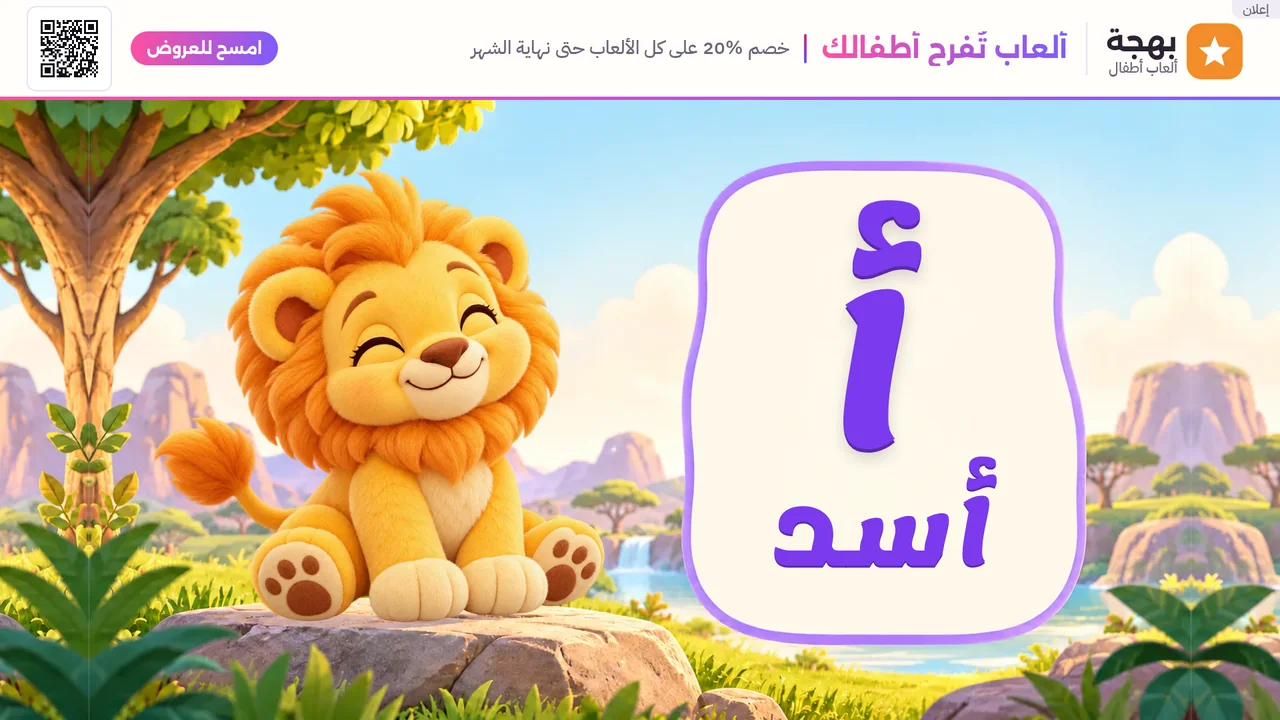
The top bar
One line across the top of the screen: your logo, a title, a short line, and a short call beside the QR code.
- The template is fixed. Only your content changes.
- Every ad carries a small "Ad" mark.
Book an ad space that appears beside Nafza's screens on the TV: your logo, a title, and a QR code that viewers scan with their phones.
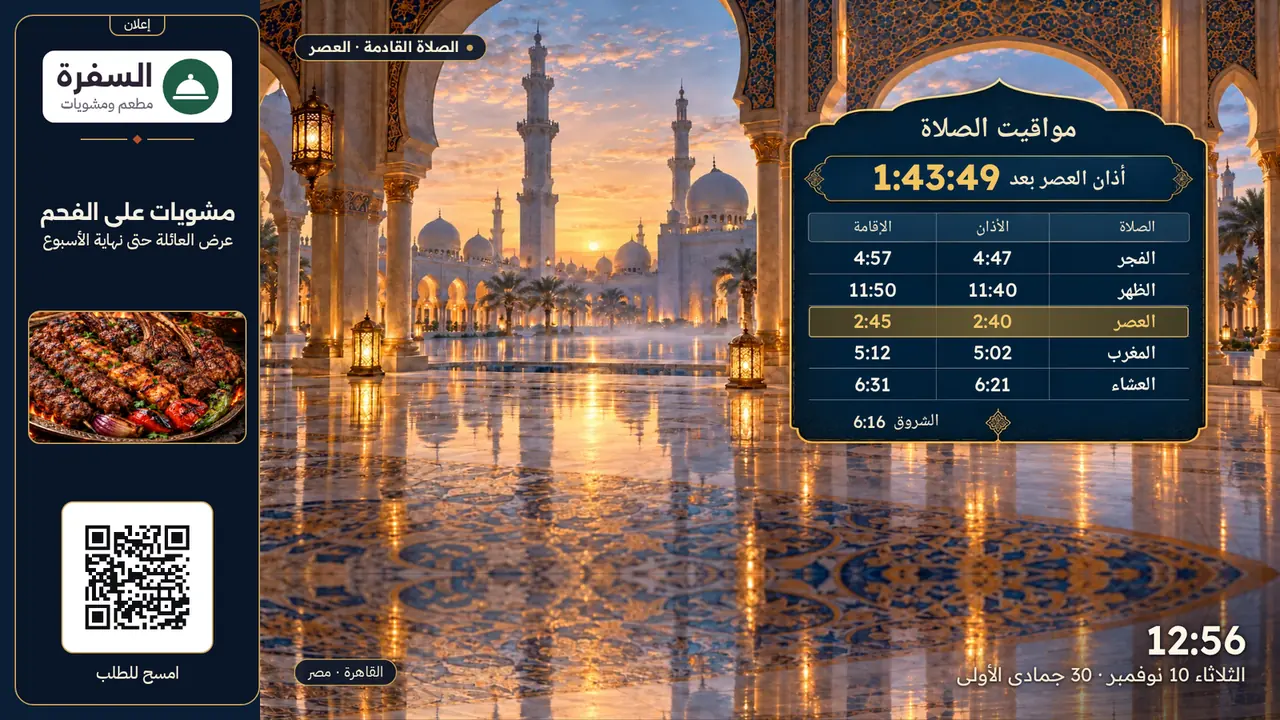
A top bar and a side column. They sit beside the screen on air and never cover its content.
The ad space shows for 60 seconds on a fixed cycle, taking turns between the bar and the column.
Viewers scan it with their phones, and it opens the link you choose directly.
One line across the top of the screen: your logo, a title, a short line, and a short call beside the QR code.
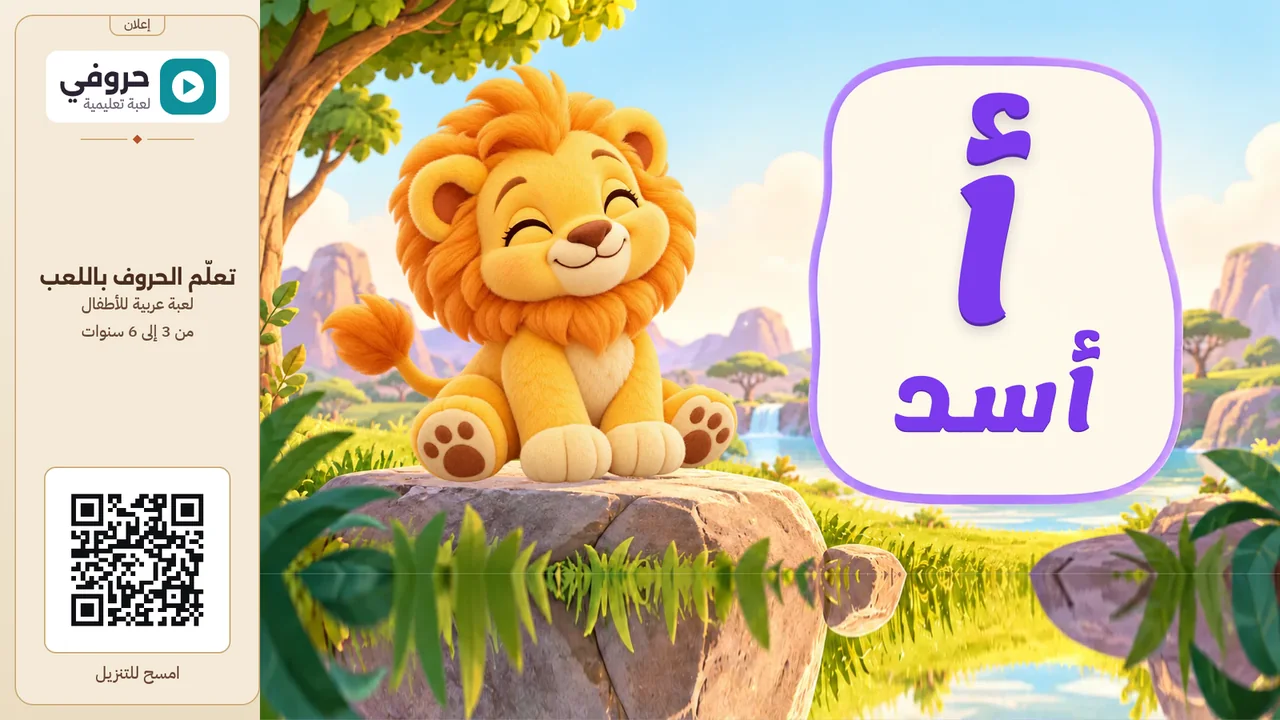
A column beside the screen: your logo, a title, a short line and the QR code. You can add one picture.
The ad shows only where you say.
One country or several.
Such as prayer screens, kids screens or business screens.
Every system the TV app runs on, or only some of them.
Email us with your business name, the country, the screen section you want, and how long the ad should run.
Your logo, a title, a short line and a QR code. In the side column, one picture if you like. The ad is still, with no sound or video, and carries an "Ad" mark.
60 seconds each time, on a fixed cycle. When more than one advertiser books a space, their ads take turns in it.
On the TVs that show Nafza's free screens, in the countries, sections and systems you choose. It does not show during the call to prayer.
The logo, a title of up to 28 characters, a short line, and a link that starts with https for the QR code. One picture if you choose the side column.
We send you the number of times your ad was shown. A showing counts when the ad has run to its end on the screen. We do not track viewers, and the QR code opens your link directly, so you measure its visits on your side.
The app that shows the screens on the TV.
The screens the ad appears beside.
For any other question.
The app is free. No account, no sign-in.

App Store and Google Play for the phone app, Amazon Appstore for the TV app.