The Nafza app for your TV
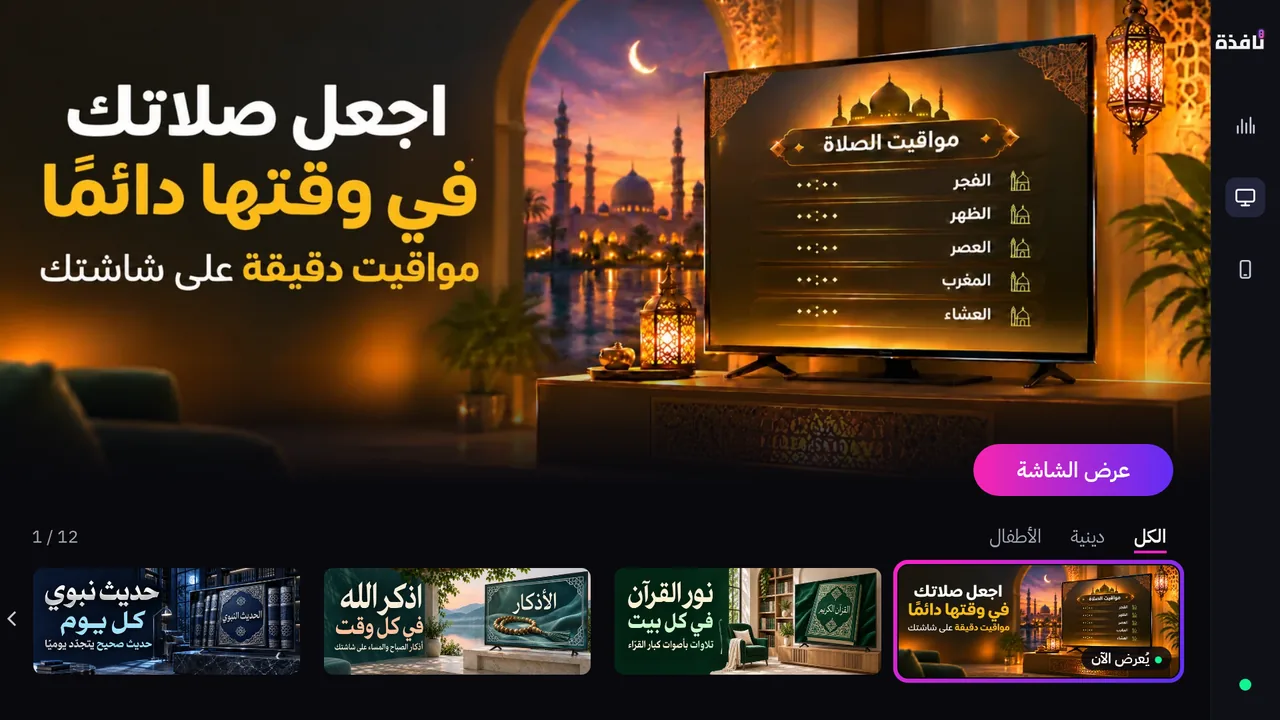
It shows the library's screens on your TV, and works by itself with the TV remote, even with no phone.
What does the TV app do?
Works with no phone
Browse the free screens and start them with the TV's own remote.
Settings on the TV
Adjust a screen and see the preview before you start it.
The schedule
A page with today's times, where you pause or resume the schedule.
Which TVs does the app run on?
The remote needs no app on the TV. The TV app is needed to show screens.
Amazon Fire TV
Available now at the Amazon Appstore.
Open the app pageLG webOS
The app has been submitted to the LG Content Store and appears there once approved.
Samsung Tizen
The app has been submitted to the Samsung TV app store and appears there once approved.
Google TV / Android TV
The app has been submitted to Google Play on the TV and appears there once approved.
Titan OS
The app has been submitted to the Titan OS store and appears there once approved.
The TV's browser
With no app: choose to add a screen in Nafza on your phone, and it gives you a link and a QR code to open in the TV's browser.
Link your phone when you like
A QR code or a 6-digit code
Scan the code on the TV with Nafza on your phone. Linking is optional.
From the phone to the TV
Once linked, you pick a screen and its design on the phone and show it on the TV.
Business screens
Business screens are sent from the plan holder's phone. They are not in the TV's menus.
Common questions
Does the TV app work without a phone?
Yes. It shows the free screens with the TV remote. Linking a phone is optional.
Are there ads on the TV?
No third-party ads appear on the TV. Free screens carry a small Nafza app mark, and a QR code that shows from time to time.
Do I need the TV app to use the remote?
No. The remote reaches the TV directly over Wi-Fi.
Is the app free?
Yes. The TV app is free.
Related pages
- Supported TVs
The brands and systems Nafza works with.
- Screen library
The screens the app shows.
- TV remote
Control the TV from your phone.
Turn your phone into a TV remote
The app is free. No account, no sign-in.

App Store and Google Play for the phone app, Amazon Appstore for the TV app.