
Control your TV from your phone
Nafza finds your TV on the same Wi-Fi by itself, and your taps go straight from the phone to the TV.
- No account, no sign-in
- Reconnects to the TV by itself
- A demo mode with a virtual TV inside the phone
Control your TV from your phone over your home Wi-Fi, with no internet needed. Free.
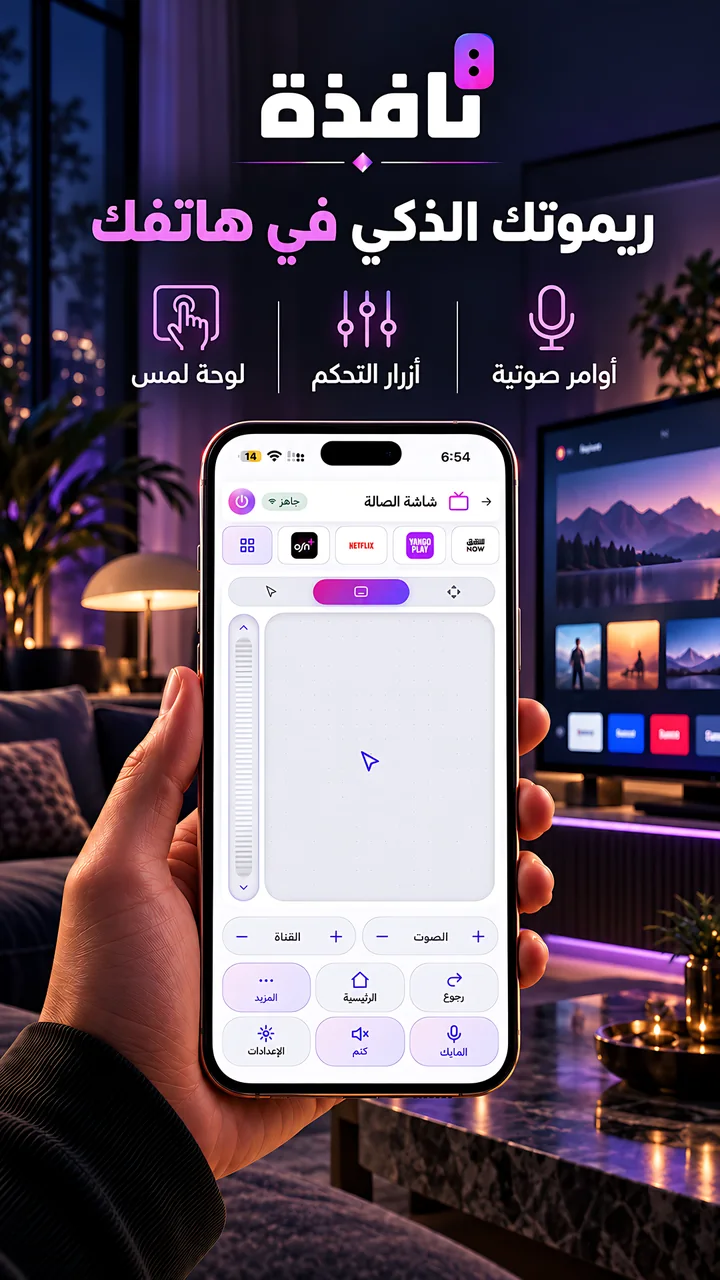
Nafza shows only the keys your TV supports.
Arrows and OK, back, home, volume, channels, numbers and playback keys.
Type into the TV's search box with your phone's keyboard.
The TV's apps in one row, a page of all apps with search, and the HDMI inputs.
Nafza finds your TV on the same Wi-Fi by itself, and your taps go straight from the phone to the TV.
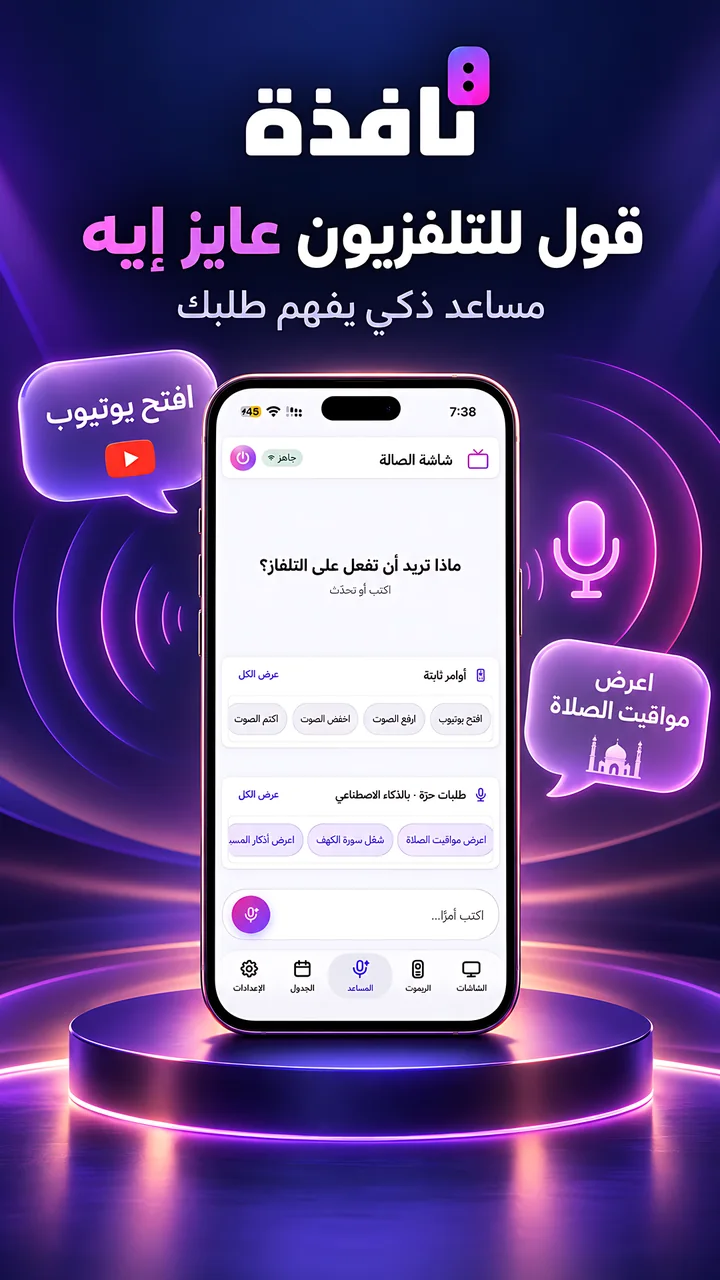
Tap the microphone key on the remote and say what you want: "open YouTube" or "volume up".
The assistant and voice commandsMove the pointer on the screen with your finger, on TVs that support a pointer.
Switch the TV on and off from your phone, on TVs that support power-on over the network.
Save your TVs by name, put them in groups, and send a command to all of them at once.
Nafza controls TVs running LG webOS, Samsung Tizen, Google TV / Android TV and Roku. Pick your TV's brand to see what works with it.
On iPhone or Android.
With the phone and the TV on the same Wi-Fi, the TV appears in the list.
The TV shows a prompt or a code, once.
Yes. The remote only needs your home Wi-Fi, because commands go straight from the phone to the TV. It does not work without Wi-Fi. Showing screens and the assistant need the internet.
Yes, if the TV is connected to the same Wi-Fi network as your phone.
No. The remote talks to the TV directly. The TV app is only needed to show screens.
Yes, on iPhone and on Android phones.
Yes. It is free, with ads in the phone app.
Yes. You save several TVs, pick the TV at the top of the screen, and can send a command to a group of TVs at once.
What works with each brand and system.
Use your voice and ask for a movie.
Fixes for connection problems.
The app is free. No account, no sign-in.

App Store and Google Play for the phone app, Amazon Appstore for the TV app.